
Description
This guide outlines some troubleshooting guidance for High-bandwidth Digital Content Protection (HDCP) operability with HELIOS.
Background
High-bandwidth Digital Content Protection (HDCP) is a form of digital copy protection to prevent copying of digital audio and video content as it travels across connections (for more details, see here).
Troubleshooting
Prerequisites:
- HELIOS v22.04.0 or newer software
- HDMI 2.0 (rev 2) VFMC card. (Megapixel part number: PCB-0215)
- HELIOS HDCP license
- HELIOS processors support HDCP 2.2 input signals with a licensed software activation key. If you need this HDCP license key, please request it via our sales channel (sales@megapixelvr.com).
- To check if a HELIOS has a valid HDCP license, look under Settings > Licensing > and check if the license is listed.
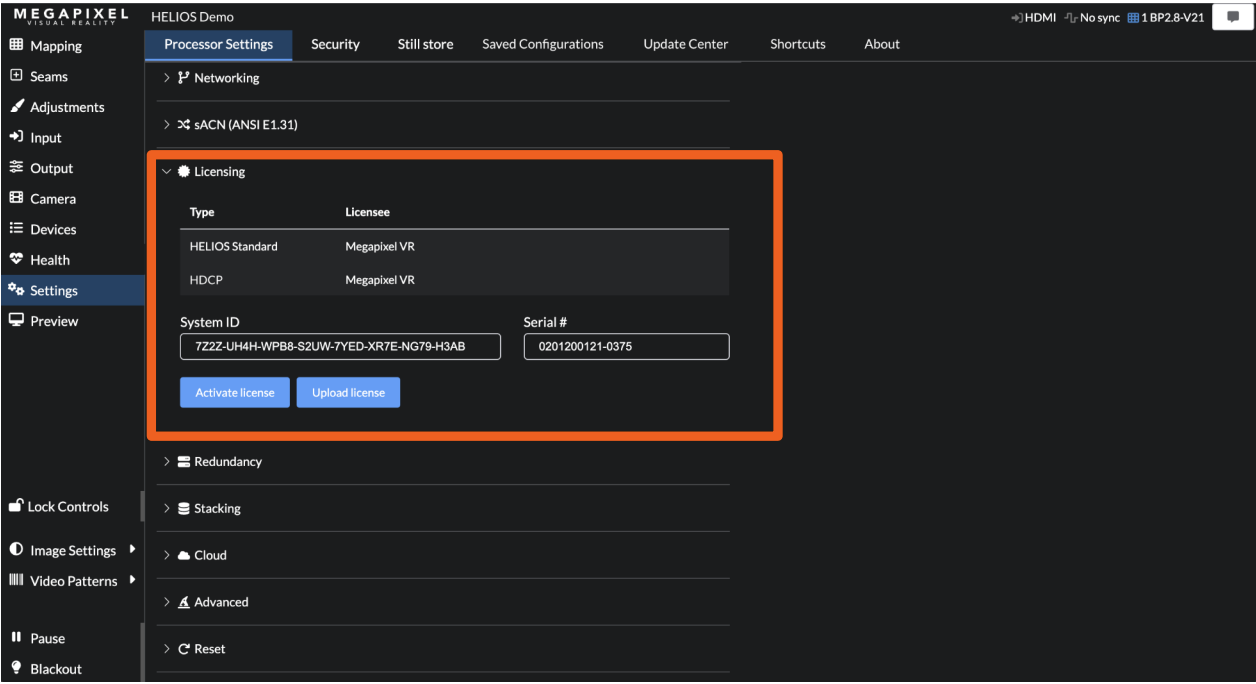
If an HDCP protected signal is provided to a HELIOS processor without this license, there will be a black input signal, with no noticeable Health alerts.
When troubleshooting HDCP protected input signals, ensure the upstream device generating the signal is set to negotiate HDCP 2.2. HDCP 1.4 protected signals can appear to be valid on the input details report, but display as black, blue or other aberrant color.
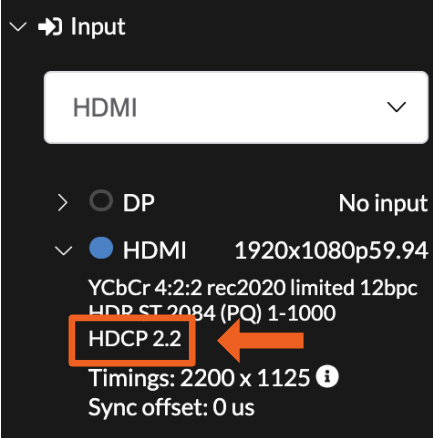
Once licensed, HELIOS will automatically negotiate an HDCP 2.2 connection when possible. On a successful handshake the input details will report HDCP 2.2 (example below).
If you continue to experience issues, please reach out to support@megapixelvr.com and include your system's log files for further assistance.